
What am I missing?
Leave a Clear Return Point
Before you stop, record where the project stands, what remains unsettled, and the exact place to begin next time. That is your clear return point.
One rule and three simple project files for restarting without reconstructing the whole project
tl;dr:
A project does not need a full cleanup before you stop. It needs a clear return point: where it stands, what remains unsettled, and the exact place to begin next time. The new Substack paid-subscriber perk Pick Up Where I Left Off turns that rule into three prompts and three simple project files.
The question that waits at the top of every restart
My email sorter worked. That was the part I walked you through in the last article: keep the parts that worked and give each job a clear boundary. That uncovered the missing piece—one job had never been assigned. Not because the process was broken. Because these things happen.
And that whole email system was itself a project. The first sorting script, the test runs, the layers, the revamp – none of it happened in one sitting. It started back in March and moved in stretches, with gaps between them, until the revamp landed in August.
Every one of those gaps ends the same way any project gap does. You come back after a few days, or a few weeks, and before any real work happens, it’s like you’re working an archaeology dig:
- Which file is current?
- What did I decide about that?
- Where exactly did I stop?
The project didn’t fall apart while you were gone. It just never got told where you’d be coming back in.
That’s the unassigned job: leaving a return point. And it comes down to one rule.
Before you stop working, record the exact place where you should begin next time.
Not a summary of everything you did. Not a cleanup of the whole folder. One recorded, exact place to restart.
What a return point actually records
The rule only works if the return point is exact. “Keep working on the website” is not a return point. It’s a reminder that a project exists, and you already knew that.
Before you stop, record three things:
- Where the project stands now. The current truth, not the history. What’s done, what’s decided, what’s in play.
- What remains unsettled. The open questions and the decisions you haven’t made yet, so future-you doesn’t mistake a maybe for a done.
- The exact place to begin next time. One spot. The specific file, the specific section, the specific next move.
That’s the whole rule in practice. Not a project plan. Three short answers, written down where the project lives.
The difference shows up on the other side of the gap. You open one note and start working. The current state is there, the open questions are there, and the first move is already named.
Try it on one project. Pick something active, or something paused that you’ve been avoiding because restarting it feels like work before the work. At the end of your next work session, ask the AI you were just working with to record those three things. Review what it wrote, save it with the project, and walk away. That’s it.
The complete method: Pick Up Where I Left Off
And there’s nothing wrong with recording those three things at the end of a work session in one move, because it stands on its own. You can stop right there and be better off than you were before.
But a return point lands best when a project has a small, steady place to hold on to. And this is how Pick Up Where I Left Off was built: three prompts and three Markdown files that live in a project folder.
- Project Status.md holds the current truth and the exact return point.
- Backstory.md holds the stable context that must not be lost when you open a new AI conversation.
- Punch List.md holds only the work that remains. Finished work doesn’t linger on the active list.
The three prompts match the three moments a project actually has: one sets the files up from the material you already have, one closes a work session by recording the return point, and one restarts you when you come back. Your drafts and notes stay where they are. The files stay with you, and they work with whatever AI you already use – file uploads, a local folder, or plain pasted text.
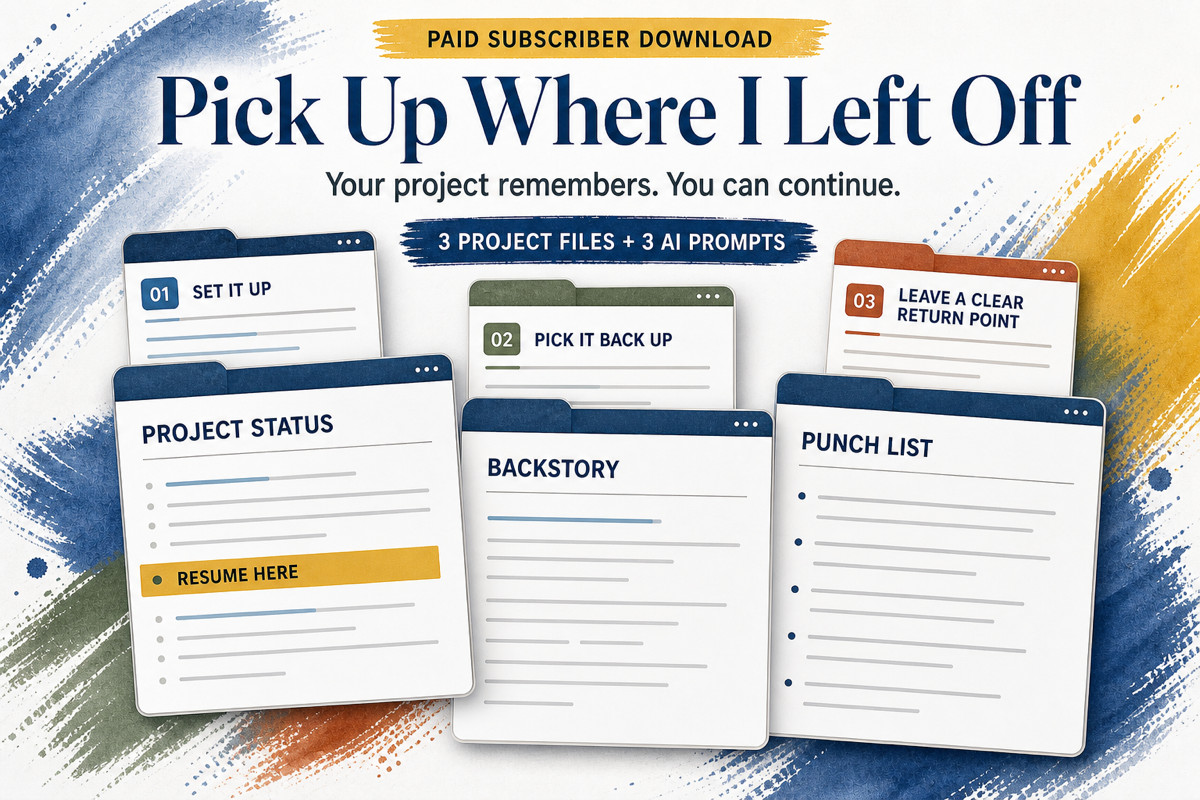
Pick Up Where I Left Off includes three project files and three AI prompts.
Pick Up Where I Left Off is a Substack subscriber perk. If you’re a paid subscriber, the full package – prompts, templates, and a completed example from source notes through restart – is waiting for you.